TricksDiary
TRENDING
  • Income Diary
  • Loan and Finance Tricks
No Result
View All Result
  • Top in Tech
  • Finance
  • How To
  • Photography
  • Social Media
    • WhatsApp Tricks
    • Twitter Tricks
    • Facebook Tricks
    • Instagram Tricks
    • LinkedIn Tricks
  • Blogging
    • SEO Tricks
    • Hosting Tricks
    • YouTube Tricks
  • Tech Reviews
  • More
    • Home Appliances
    • Snapchat Tricks
    • Quora Tricks
    • Pinterest Tricks
Social icon element need JNews Essential plugin to be activated.
SUBSCRIBE
  • Top in Tech
  • Finance
  • How To
  • Photography
  • Social Media
    • WhatsApp Tricks
    • Twitter Tricks
    • Facebook Tricks
    • Instagram Tricks
    • LinkedIn Tricks
  • Blogging
    • SEO Tricks
    • Hosting Tricks
    • YouTube Tricks
  • Tech Reviews
  • More
    • Home Appliances
    • Snapchat Tricks
    • Quora Tricks
    • Pinterest Tricks
No Result
View All Result
TricksDiary
No Result
View All Result

How to Change the Color of Status Bar or menu on Android-(Easy Way)

VidyarthiShivam by VidyarthiShivam
February 26, 2026
in Apps, How To
How to Change the Color of Status Bar or menu on Android-(Easy Way)

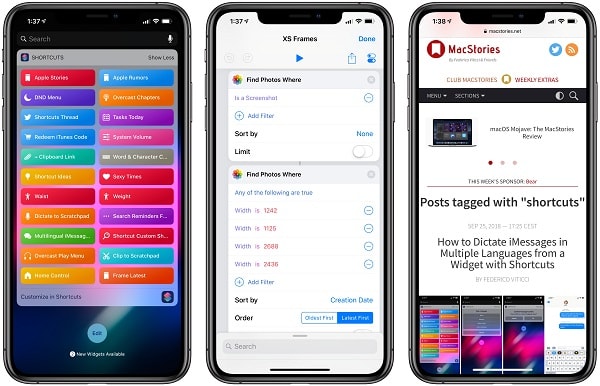
Image credit: macstories.net

READ ALSO

how to check whether a account is legit or its a fake account

how to check whether a account is legit or its a fake account

February 26, 2026
Some tips and tricks on how to be popular on tiktok app

Some tips and tricks on how to be popular on tiktok app

February 26, 2026

Change the Notification Menu in Android Phone by using the Color Status App

Hi Everyone, The best thing about Android Operating System is that we can customize the way we like it, so friends are going to tell you in the bar of a trick in which you will be able to customize the notification menu of your Android phone. You will know about the notification menu, the Notification menu is that which we open from the top of the slide and that includes Mobile Data, Wi-Fi, Location, etc, but there is an option to customize the notification menu in phone setting. How to Change the Color of Status Bar or menu on AndroidHow to Change the Color of Status Bar or menu on Android

But we can customize it with the help of an app. With the help of the Color Status Bar App, we can give a nice look to the notification menu. This application has a great function, we can add your image to the notification menu. You can download this application from free playstore, so friends will tell you in full detail about this application how to use it today.


How to Change the Color of Status Bar or menu on Android:-

Note – It is not necessary for phone to be rooted to use this trick. You can also use this trick in unrooted phone.

Yeah, this is a great and free application and you can download it from google play store, follow the steps below.

Download Color Status Bar 

First of all, you can go to the play store and download the Color Status Bar App and then open it. After you open the application, you will see this option in the Settings Enable Color Status Bar in Settings. Once enabled, the notification panel will change, you will see 2 options below it and APPARENCE and QUICK SETTINGS, you can enable and disable it according to your need.

Change the Notification Panel Theme –

There are also some ready made themes in the Color Status bar. And you can also create your custom theme. First let us see the ready made theme and follow the steps below.

Next to Settings, you will see the option of the theme, click on it, after clicking on it, you can select a lot of colorful themes on it. You can choose whatever you like in it. To create your own theme, click on the option of ADD theme. But you can also make your photo.

Download Color Status Bar 

How to Change the Color of Status Bar or menu on Android


Hope you liked this great post.

Do not forget to share it with your friends & family, the Sharing Button is below.

Keep Sharing,
Because, 
Sharing is Caring ?

Apart from this, if there is any problem in the intermediary, do not hesitate to ask in the Comment Section also. We will be happy to assist you.

If you like this post, do not forget to share it with your friends. You can help us reach out to more people by sharing it on social networking sites such as Facebook or Twitter.

Thanks!…………

Read More:-

The Best Mobile Browsers for 2018-19

Top 8 Reasons for Heating of Smartphones

How to find out whether our smartphone hacked or not?

Previous Post

Causes for PUBG Mobile lag and how to solve them? (Simple Way)

Next Post

How to save battery for long usage? Example with Images

Next Post
How to save battery for long usage

How to save battery for long usage? Example with Images

Comments 1

  1. luckypkr777 says:
    2 months ago

    Yo, luckypkr777? They’re legit! I’ve been grinding on luckypkr777 and the odds are fairly decent. The user interface is pretty smooth too. Give it a shot fam! luckypkr777

Leave a Reply

Your email address will not be published. Required fields are marked *

ADVERTISEMENT

[vc_row full_width=”stretch_row” vc_row_background=”” css=”.vc_custom_1545296563297{padding-top: 30px !important;padding-bottom: 50px !important;}”][vc_column width=”1/2″ el_class=”footer_left”][jnews_footer_menu compatible_column_notice=”” text_color=”#000000″][jnews_footer_social compatible_column_notice=”” social_icon=”nobg” icon_text_color=”#0a0a0a”][/vc_column][vc_column width=”1/2″ el_class=”footer_right”][vc_column_text]© 2019 TricksDiary | All rights reserved.[/vc_column_text][/vc_column][/vc_row]

No Result
View All Result
  • Home
  • Top in Tech
  • Tech Reviews
  • Apps
  • How To
  • Social Media
    • Facebook Tricks
    • Instagram Tricks
    • LinkedIn Tricks
    • Twitter Tricks
    • WhatsApp Tricks
  • Travel Tricks
  • Photography
  • Blogging Tricks
    • Cloud Hosting
  • Earn Money Online

© 2019 TricksDiary | All rights reserved